
GroweLab · Features · AI for educators

AI for educators, powered by proven practice, not internet noise.

Like having 24/7 access to veteran educators who give clear feedback and guidance. GroweLab’s AI model is trained and actively monitored by experienced educators, and the educator always decides what to send.

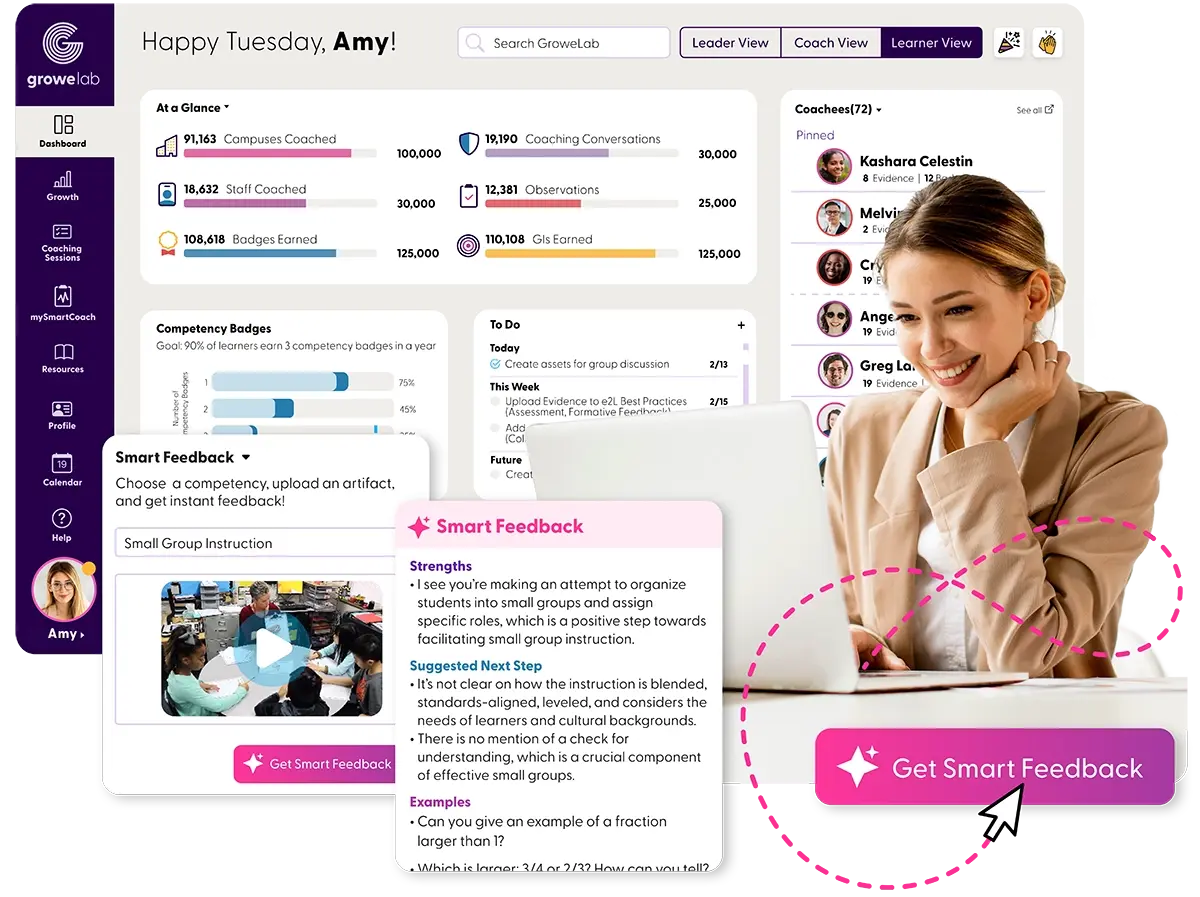
A coach smiling at her laptop beside the GroweLab dashboard and a Smart Feedback panel that reviews an uploaded small-group lesson, with a "Get Smart Feedback" button
Trained by educatorsMonitored and refined by engage2learn’s coaches
Human in the loopThe educator edits and sends
See it in action

Two short films.

GroweLab AI features1:31
GroweLab implementation plan demo1:40
AI support educators can trust

Three ways GroweLab’s AI helps, with educators behind each one.

  • Smart Responses for walkthrough write-ups
  • AI instructional feedback
  • AI virtual assistant

All trained to consistently provide student-focused guidance and feedback grounded in the research, with experienced educators monitoring every one.

Trained on instructional best practice

Unlike other platforms, educators train and monitor the model.

Vetted resources and research, monitored by educators.

GroweLab’s AI model is both trained and actively monitored by experienced educators, so responses draw on the pedagogy behind effective teaching. The model learns from engage2learn’s library of vetted resources, templates and research, and engage2learn’s coaches review and refine what it says.
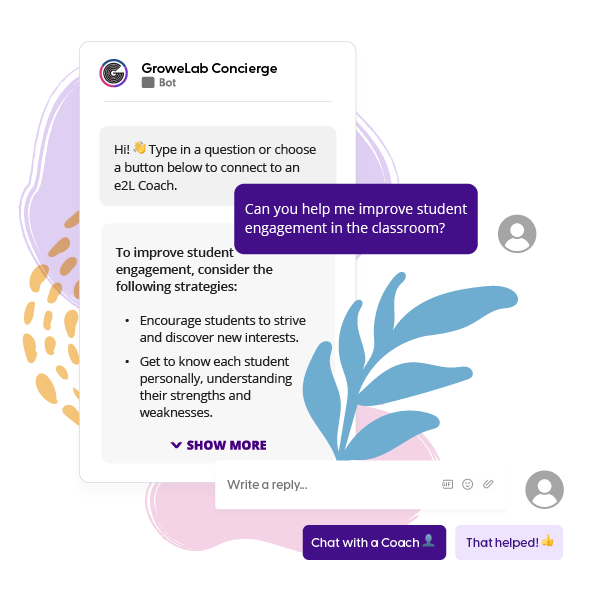
The GroweLab AI assistant answering an educator’s question in a chat window
What the assistant resolves

Answers educators can use.

95%
of educators’ questions resolved by GroweLab’s AI assistant
30K+
vetted resources and research the model is trained on
~90 s
for Smart Responses to draft a walkthrough write-up the principal then edits and sends
Smart Responses

The walkthrough write-up, drafted before you reach the next classroom.

  1. Step 1

    Record what you see

    During a walkthrough, the principal records evidence on the district’s own form: what the teacher did, what students did, which look-fors were present.

  2. Step 2

    Smart Responses draft the write-up

    In about 90 seconds, Smart Responses turn that evidence into draft open-ended responses, guided by vetted instructional practice and calibrated by engage2learn’s coaches.

  3. Step 3

    The principal edits and sends

    The principal reads the draft, changes what needs changing and sends it, so the teacher gets specific feedback the same day.

AI observations and feedback

Feedback in seconds, grounded in the research.

  1. Step 1

    Select a competency

    Pick from the competencies in GroweLab, from instructional strategies to classroom culture and future-ready skills.

  2. Step 2

    Upload an artifact

    Submit a video, image or document: a small-group clip, student work or a lesson plan.

  3. Step 3

    Get clear next steps

    In seconds, GroweLab highlights what is strong and offers clear next steps to grow your practice, which the educator reviews before acting.

AI virtual assistant for educators

Your AI thought partner, built for educators by educators.

GroweLab’s assistant draws on proven resources and research. Ask anything, from lesson planning to data analysis, and get trusted answers that scaffold learning, personalize instruction and plan PD.

GroweLab assistant
My teachers need help with standards alignment. Give me an outline for a 20-minute workshop that will help me support my teachers to improve this skill.

Here is an outline for a 20-minute workshop, "Mastering Standards Alignment in 20 Minutes."

1. Mini-hook (2 minutes): have teachers match sample learning activities to standards, highlighting common misalignments. 2. Purpose and standards (3 minutes): explain why alignment matters for student success and introduce the key standard. 3. Interactive learning (10 minutes): unpack a standard together with the "Unpacking a Standard and Aligning Resources" clip, then practice aligning one activity in small groups. 4. Hands-on application (3 minutes): teachers start aligning an upcoming lesson in the Alignment to Standard workspace. 5. Check for understanding (2 minutes): each teacher shares one takeaway and one planned change.

Link the "Standards Aligned Resources and Activities" guide for further exploration.

I’m having trouble with students entering my classroom disruptively. Can you give me three strategies to manage how students enter so they’re ready to begin class and have turned in their homework?

Establish a clear routine: a consistent entry procedure students follow daily, such as hanging up coats, unpacking and choosing a calm activity like reading or journaling.

Greet students at the door: welcome each student individually, set a positive tone and check for must-haves like homework.

Use a "Do Now" activity: have a meaningful task ready as students enter, a question on the board or a warm-up problem that relates to the day’s lesson.

Consistency is key; adapt these to your classroom and your students.

Sample questions and answers from the GroweLab assistant, as shown on engage2learn.org, shortened. An educator reads every answer before acting on it.

In their words

Research-based, and easy to digest.

I feel everything is very researched based and easy to digest. I never felt that it was way over my head or that it was too much too quickly.
Teacher, GroweLab user
More ways GroweLab supports teachers in real time

When a teacher needs a person, there is one.

With GroweLab’s teacher support features, teaching no longer has to be a solo act, and leaders can be confident their teachers are getting support from a trusted partner, engage2learn.

  • Live text or video chat

    Connect with an engage2learn coach by live chat or video call for in-depth support from an expert educator in minutes.

    Learn more
  • mySmartCoach

    Self-paced coaching sessions that help teachers develop proficiency in a wide range of competencies.

    Learn more
  • Curated resource library

    A vast library of vetted resources, courses and video workshops on the skills each role and level of experience needs most.

    Learn more
Where this sits in the cycle

Feedback that feeds the record.

AI feedback in GroweLab runs through every step of the cycle. Every observation and every piece of feedback lands on the same record of practice that the plan, the coaching and the community work draw on.

  1. You are here 01

    Diagnose

    Smart Responses draft the observation; the principal edits and sends; the record shows what changed.

    Assessments & Software
  2. You are here 02

    Design

    What the observations show across classrooms shapes the plan.

    Planning & Design
  3. You are here 03

    Coach

    Coaches build on the same feedback in the coaching session.

    Performance Improvement
  4. You are here 04

    Connect to community

    Leaders compare practice with peers in the Jim Knight Impact Network.

    Network & Events
95% of educators’ questions resolved by the assistant
3 to 6 other professional learning tools replaced
See how the whole cycle runs
Not sure where to start? Answer seven questions to find the answer to your Improvement Equation. Find my pathway
FAQ

Questions leaders ask.

What is GroweLab’s AI trained on?

GroweLab’s AI model is trained by engage2learn’s educators on vetted resources and research on instructional practice, not on the open internet. Experienced educators actively monitor and refine it, so responses draw on the pedagogy behind effective teaching rather than search results.

Who checks what the AI writes?

The educator does. Smart Responses draft a walkthrough write-up in about 90 seconds and the principal reads, edits and sends it; a teacher reviews feedback on an uploaded artifact before acting on it; and engage2learn’s coaches monitor the assistant’s answers.

How well does the AI assistant answer educators’ questions?

The assistant resolves 95% of educators’ questions. When a question needs a person, a teacher can start a live text or video chat with an engage2learn coach from inside GroweLab.

What can a teacher upload for feedback?

A video, an image or a document: a small-group clip, student work or a lesson plan. The teacher picks a competency, uploads the artifact, and in seconds GroweLab highlights what is strong and offers clear next steps.

Is our data used to train the AI?

No. GroweLab’s AI runs inside a closed system. Your district’s observations, videos and other artifacts never leave engage2learn’s secure infrastructure and are never used to train AI models.

Ready to see GroweLab’s AI in action?

Feedback your educators can trust.

Bring a lesson plan or a short classroom clip, and we’ll show you the feedback GroweLab gives on it, and the educator who checks it.

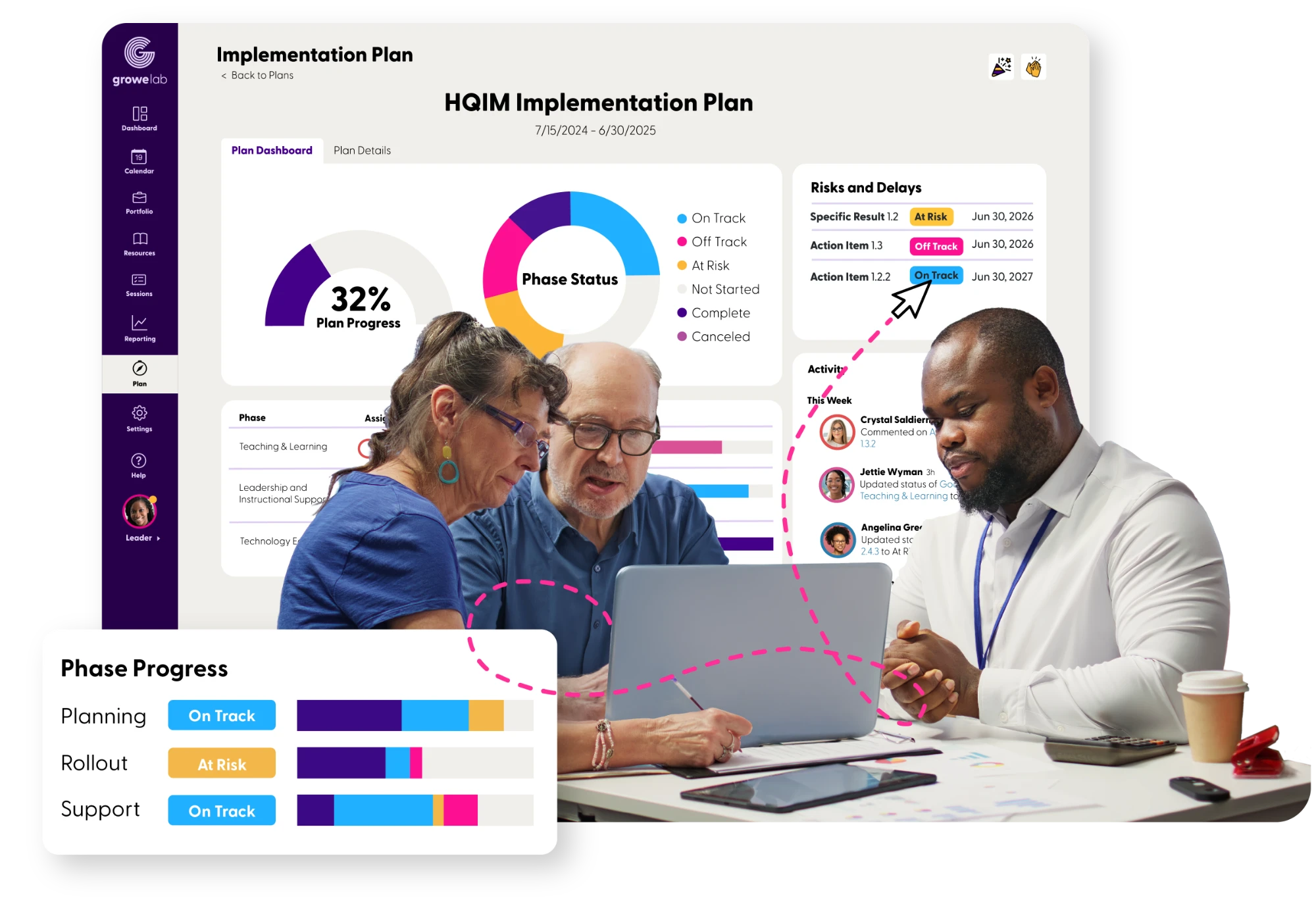
Three educators plan together at a laptop in front of a GroweLab HQIM implementation plan showing 32 percent plan progress, phase status, risks and delays, and phase progress for planning, rollout and support